AI Generated Writeups Imported from Chat History
Project / / 1 min read
Forgejo self-hosted Git service
Hosting personal Git repositories with Forgejo and integrating them into my development workflow.
Overview
I deployed Forgejo as a self-hosted Git service for hosting personal repositories and importing existing projects. It provides a private development platform under my control and gives my repositories a consistent place to live alongside the rest of my infrastructure.
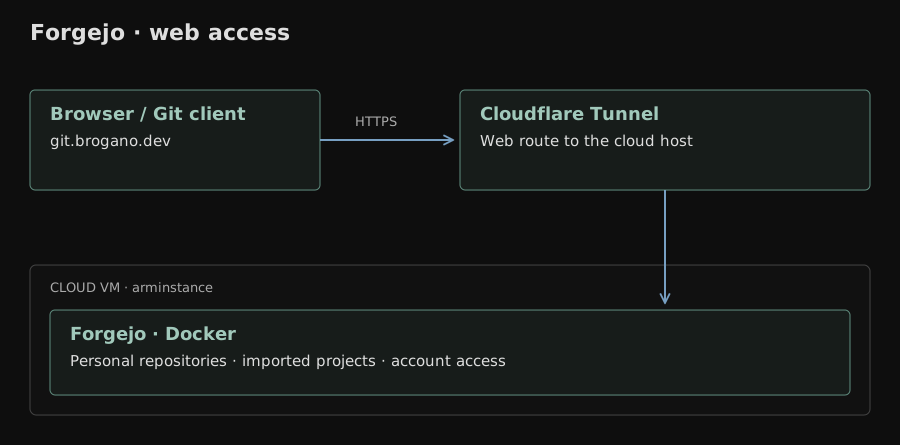
The service runs in Docker on my cloud VM, arminstance, with web access through Cloudflare Tunnel. The Forgejo web interface provides repository browsing, account management, and project administration.
Setup
The deployment work included:
- Hosting Forgejo on Linux infrastructure.
- Importing existing repositories into the service.
- Configuring repository and account access.
- Creating personal access tokens for Git operations that require them.
- Publishing Forgejo through Cloudflare Tunnel at git.brogano.dev.
- Integrating the service into my normal development workflow.
When repositories were imported, I also checked author identity and contribution activity. Git records the author email in each commit, so the email configured in a repository affects how contributions are attributed in Forgejo and other Git hosting tools.
Access
The Forgejo instance is available at git.brogano.dev.
Result
Forgejo gives me a self-hosted Git service for maintaining repositories, reviewing project history, and managing development access.