AI Generated Writeups Imported from Chat History
Project / / 2 min read
Browser-accessible noVNC CTF workstation
A local browser-accessible Linux workstation for Hack The Box and other authorized CTFs.
Overview
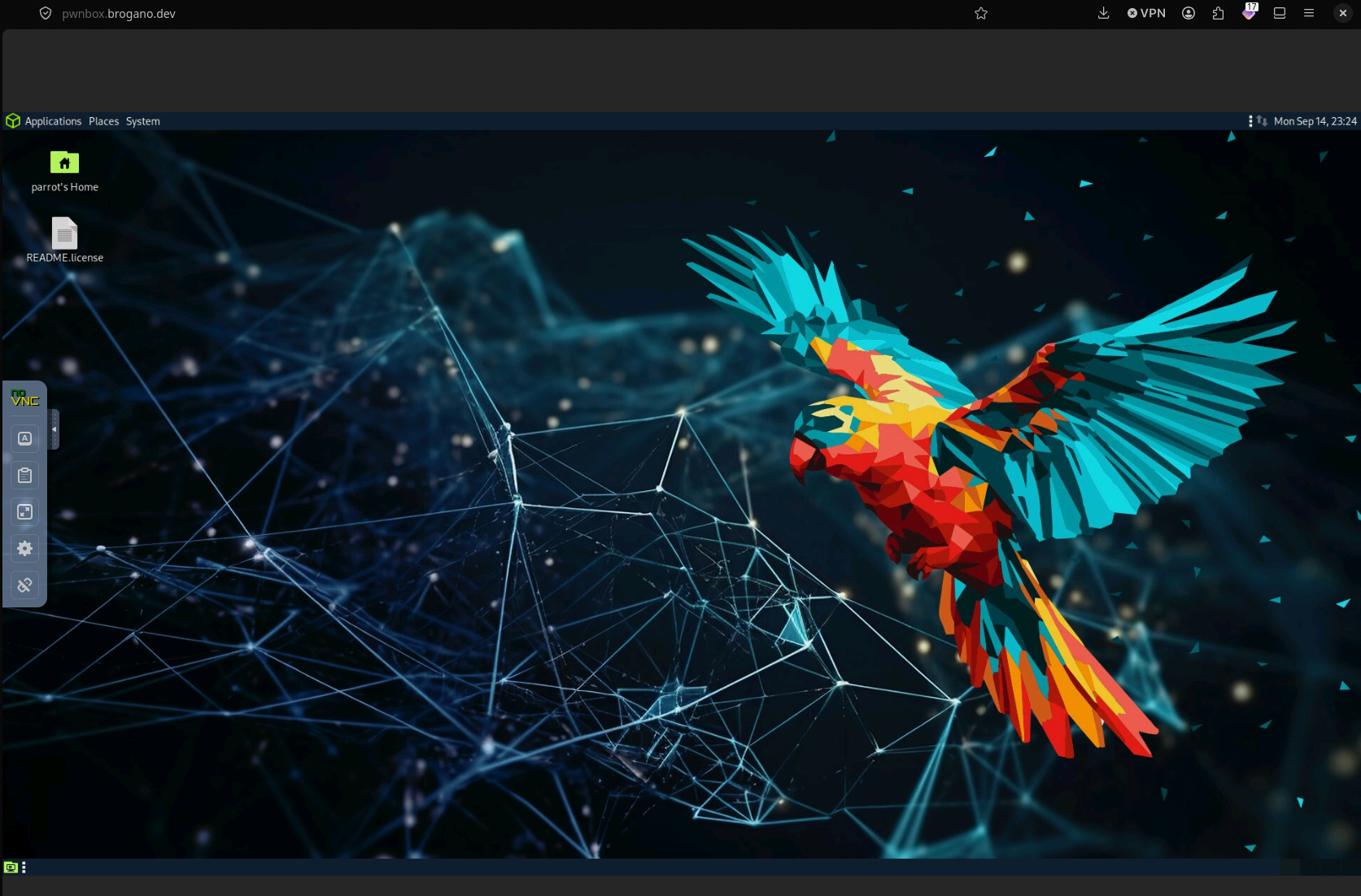
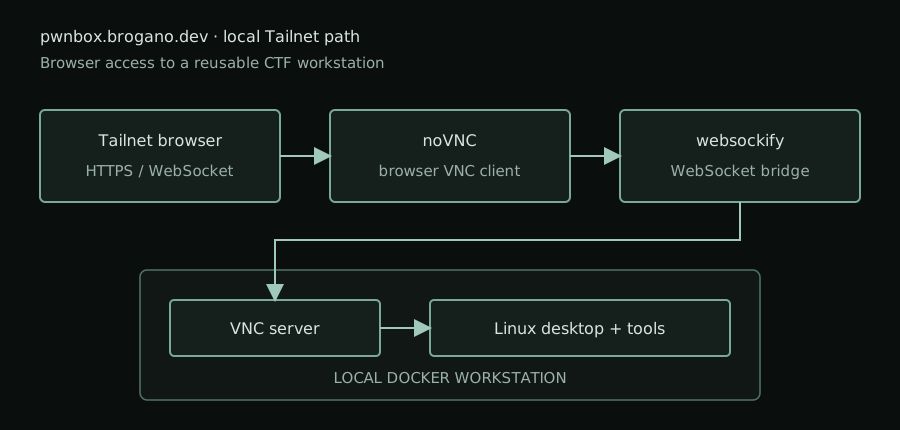
I built a browser-accessible Linux workstation for Hack The Box and other authorized CTFs. The workstation uses VNC for the desktop session, noVNC for the browser client, and websockify to connect the browser session to the VNC server.
This is a local box rather than a public hosted service. It is available at pwnbox.brogano.dev, a hostname that is accessible only through my Tailnet.
Setup
The environment runs in Docker and provides a Linux desktop that can be opened from a browser. The setup work included:
- Configuring a VNC display and desktop session.
- Selecting a usable desktop resolution.
- Serving the noVNC client through websockify.
- Routing the Tailnet hostname to the local workstation.
- Testing the interface from desktop and mobile browsers.
noVNC runs in the browser and communicates with the VNC server through websockify. This lets me access the desktop without installing a native VNC client on each device.
Testing
Desktop testing confirmed that the Linux desktop could be loaded through the browser route. Mobile testing exposed a separate usability concern: a client can display the desktop background while still failing to handle interactive input correctly.
That made viewport sizing, touch input, scaling, and session configuration part of the workstation design rather than treating them as cosmetic browser details.
Use
The workstation gives me a consistent local environment for authorized Hack The Box labs and other CTF exercises. Keeping it on the Tailnet limits access to my own devices while still allowing browser access when I am working from a different computer or tablet.
Result
The project combines Linux desktop hosting, Docker, VNC, WebSockets, browser-based remote access, and private network routing into one reusable CTF workstation.