AI Generated Writeups Imported from Chat History
Project / / 3 min read
OpenMediaVault NAS and network storage
Building a virtualized OpenMediaVault NAS with passed-through disks and network storage for the homelab.
Overview
I created an OpenMediaVault virtual machine inside Proxmox to manage physical storage devices, filesystems, permissions, and network shares for other systems.
The goal was to keep storage management in one place while allowing other machines and virtual guests to use selected shares over the network. The design also separates primary and backup storage so that not every disk has the same role.
Virtual machine and disks
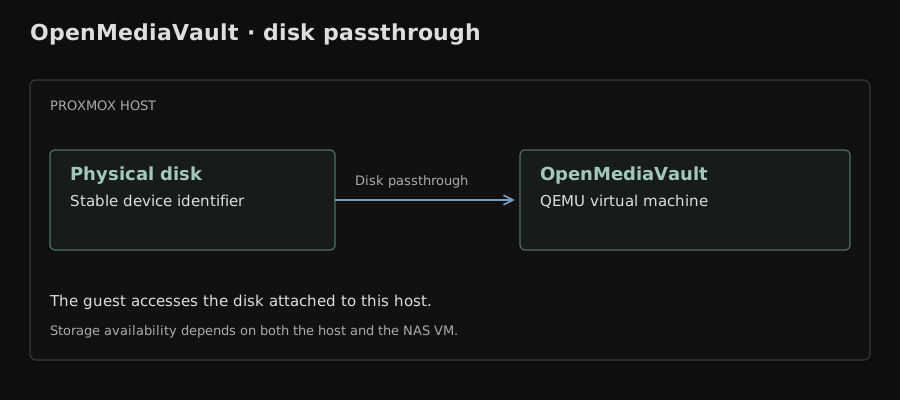
The NAS runs as a QEMU virtual machine using UEFI firmware. Physical disks are attached to the guest with stable device identifiers rather than relying on names such as /dev/sda, which can change when hardware is detected in a different order.
The setup work included:
- Creating and configuring the OpenMediaVault VM in Proxmox.
- Attaching physical disks to the guest with persistent identifiers.
- Creating multiple storage volumes for different purposes.
- Separating primary data from backup and bulk-storage areas.
- Checking disk health and capacity from both the host and guest perspectives.
Passing disks through to a storage VM keeps the NAS software in control of the filesystems, but it also creates a host dependency. The VM, its Proxmox node, and the passed-through hardware need to be available together when the data is needed.
NFS and client mounts
OpenMediaVault exports selected directories over NFS. Other servers can mount those exports and use them for application data, shared files, or storage that does not need to live on a guest's local disk.
One useful troubleshooting case involved an NFS mount that succeeded but showed an empty directory. The mount command and network connection were working; the problem was that the client path and the exported server path did not refer to the intended filesystem. Checking the export definition and the directory contents on the NAS separated a network problem from a path-selection problem.
That distinction is important with network storage. A successful mount proves that a server answered and an export was accepted. It does not prove that the client mounted the directory the operator intended.
Operational tradeoffs
The design is practical for a personal homelab, but it has clear limits:
- Disk passthrough ties a physical device to a particular guest and host.
- A storage VM adds another layer between an application and its data.
- NFS availability depends on the NAS VM, its Proxmox node, the network, and the exported filesystem.
- Local guest storage remains useful for workloads that need to stay available with minimal dependencies.
- Backups still need their own destination and recovery process; a second volume in the same machine is not a complete backup strategy.
These tradeoffs influence where I place services. Shared files and bulk data fit the NAS, while latency-sensitive or infrastructure-critical guests can keep their disks on node-local Proxmox storage.